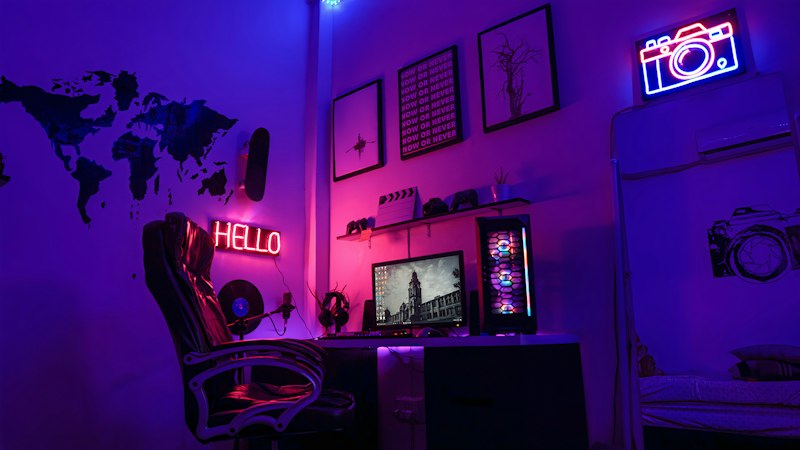
Complete Gamer Desk Setup Guide: Build Your Battle Station Under $1,000
A great gaming setup isn't about having the most expensive gear — it's about balance. A $300 monitor plus a $100 chair will always beat a $600 monitor paired with back pain. Here's how to build a setup that looks and performs great without blowing your budget.
Start With the Monitor (The Most Important Piece)
For gaming, resolution and refresh rate are the two specs that actually matter. For competitive play: 1080p or 1440p at 144Hz+ with 1ms response time. For immersive gaming: 1440p at 144Hz is the sweet spot — it looks excellent and most mid-range GPUs can drive it.
The LG 27GP850-B (27" 1440p 165Hz) and the Samsung Odyssey G7 (240Hz curved) consistently top the value charts. Avoid 4K for competitive gaming until you can afford a GPU that sustains 120fps+ at 4K.
- ✓IPS panel for color accuracy; VA panel for deeper blacks; TN for pure speed
- ✓G-Sync and FreeSync compatibility matters more than which brand label is on it
- ✓27" 1440p is the most popular size for a reason — 32" starts to feel large on a desk
Gaming Chair: Don't Cheap Out on Comfort
You'll spend hundreds of hours in this chair. Cheap gaming chairs (under $150) use dense foam that flattens within 6 months. The Secretlab Titan or Herman Miller x Logitech G Embody are the gold standards, but they're expensive.
Mid-range win: the Secretlab Titan 2022 at $350–$450 uses cold-cure foam that lasts, has genuine lumbar adjustment, and comes in a range of sizes. If budget is tight, the Branch Gaming Chair at $250 is the best value under $300.
Mechanical Keyboard: The Upgrade You'll Feel Immediately
Mechanical keyboards aren't just about feel — they also improve typing speed and accuracy. For gaming, linear switches (Cherry MX Red, Gateron Red) feel smooth and fast. For productivity+gaming, tactile switches (Cherry MX Brown, Gateron Brown) give feedback without the noise of clicky switches.
Top picks: Keychron K2 (compact, wireless, hot-swap), Ducky One 3 (rock-solid build), Corsair K70 RGB (full-size workhorse).
Lighting: RGB Done Right
Bias lighting behind your monitor reduces eye strain more than any monitor setting. A Govee or Philips Hue Play bar behind a 27" monitor runs about $40–$80 and makes a genuine difference for long sessions.
For desk RGB, LED strips under the desk ledge (not blasting up at you) look cleaner than overhead lighting. Nanoleaf panels or similar modular lights work well as accent pieces on the wall behind the setup.
- ✓Warm white bias light (3000K) is easier on the eyes than RGB for long sessions
- ✓Hue Sync Box is worth it if you want lighting that reacts to on-screen content
Equip.Ws may earn a commission on purchases via links in this guide. Full disclosure.